Submitting a Rehmat Card application and then hearing nothing for two weeks feels like the form vanished into a void. It didn’t — it’s sitting somewhere inside a verification pipeline that cross-checks your CNIC against both NADRA and the Punjab Socio-Economic Registry before a single rupee moves, and the portal’s tracking tool exists specifically so you don’t have to guess where in that pipeline your file currently sits.
This guide walks through exactly how to track a submitted How to Track Rehmat Card Online Application — using your Tracking ID, your CNIC as a backup, the mobile app, or the helpline — and explains what each status message actually tells you about what happens next.
Quick Reference Box
| Detail | Information |
|---|---|
| Tracking Portal | rahmatcard.punjab.gov.pk |
| Primary Lookup Method | Tracking ID (issued at submission) |
| Backup Lookup Method | 13-digit CNIC number |
| Mobile App | CM Punjab Rahmat Card app |
| Helpline | 1077 |
| Typical Verification Window | Several days to a few weeks, volume-dependent |
| Cost to Track | Free |
| Notification Method | SMS to the registered mobile number |
Background: Why Tracking Exists as a Separate Step
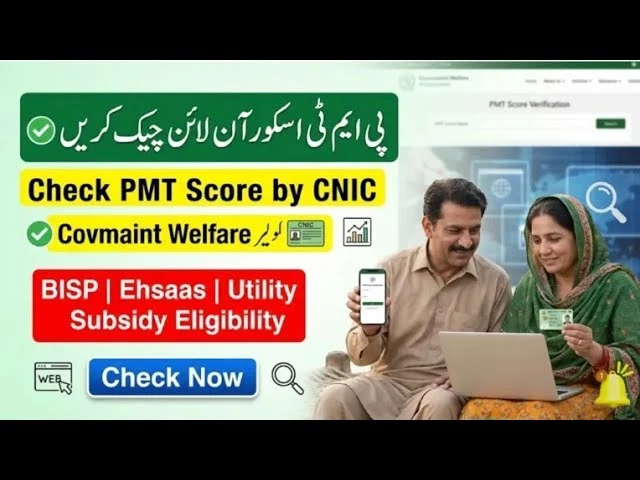
The Rahmat Card isn’t a same-day approval scheme. Chief Minister Maryam Nawaz Sharil’s government built it on the Punjab Socio-Economic Registry (PSER), with final beneficiary selection running through a Proxy Means Test applied to that database — a deliberate design choice meant to remove local committee discretion from who gets picked. That same design choice is exactly why tracking became necessary: a submitted application has to clear identity verification against NADRA records and then get matched against PSER’s poverty scoring before it can move to approval, and that takes real processing time, not an instant yes-or-no.
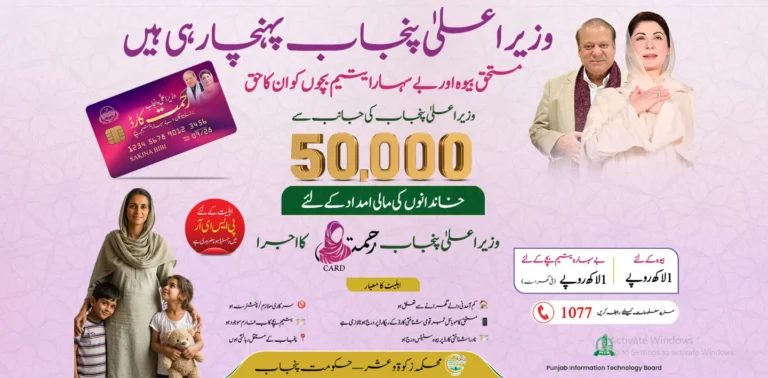
With Rs. 5 billion allocated from the provincial Zakat Fund and an initial phase targeting 50,000 widows and double-parent orphans, application volume came in heavy from the moment registration opened. A queue of that size, running through a multi-agency verification chain, naturally produces a waiting period — and rather than leaving applicants to call the helpline repeatedly or travel to a Zakat office just to ask “is it done yet,” the program built a self-service tracking feature directly into the web portal and mobile app.
This matters most for the program’s actual target demographic. Many applicants are widows managing a household alone, often in rural districts where a trip to a government office costs an entire day. A tracking tool that works from a basic smartphone removes exactly that burden, provided people know how to use it correctly — which is where most of the confusion online actually comes from.
Core Mechanics: How the Verification Pipeline Actually Works
The Two Ways to Look Up Your Application
| Lookup Method | When to Use It | What It Requires |
|---|---|---|
| Tracking ID | Primary method, fastest and most precise | The reference number issued immediately after submission |
| CNIC Number | Backup method if the Tracking ID is lost | Your 13-digit CNIC, entered without dashes |
Both methods pull from the same backend record, so neither is more “official” than the other — the Tracking ID simply narrows the lookup to one specific application instantly, while a CNIC search works just as well if the household submitted only one application under that identity number.
What Each Status Label Actually Means
| Status Shown | What’s Happening Behind It | What You Should Do |
|---|---|---|
| Submitted / Received | Application logged, awaiting document and identity review | Nothing yet — this is normal for the first few days |
| Under Verification | NADRA identity cross-check and PSER poverty-score matching in progress | Wait; avoid resubmitting, which can create duplicate records |
| Approved | PMT-based selection cleared and the household is confirmed for payment | Watch for an SMS with disbursement details |
| Rejected | Either eligibility criteria weren’t met or a document/CNIC mismatch was found | Visit a Zakat & Ushr office to learn the specific reason and whether it’s correctable |
| Incomplete | A required field or document is missing from the submission | Log back in and complete the missing section before the window closes |
Why “Under Verification” Can Last Longer Than Expected
Two separate government databases have to agree before an application moves forward. NADRA confirms identity details — name, CNIC validity, widow or guardian status — while PSER confirms the household’s standing through its PMT score. A mismatch in either layer freezes the file at “Under Verification” until a human reviewer resolves it, which is why processing time varies so much between applicants who, on paper, look similarly qualified.
Submitted vs. Under Verification — Why the Difference Matters
These two statuses get confused constantly, but they describe different problems. A status stuck on “Submitted” for an unusually long stretch typically means your file hasn’t yet entered the active NADRA/PSER cross-check queue — often a batch-processing delay tied to overall volume rather than anything specific to your application. “Under Verification,” by contrast, confirms the file is actively being checked, and a prolonged stay there more often points to a genuine data mismatch needing resolution. Knowing which one you’re looking at changes whether patience or an office visit is the right next move.
Step-by-Step: How to Track Your Application Correctly
Step 1: Locate Your Tracking ID First
How to Track Rehmat Card Online Application, Check the confirmation screen you saw immediately after submitting, along with any confirmation SMS sent to your registered mobile number. Both typically display the Tracking ID — save it somewhere durable rather than relying on memory. If that SMS never arrived at all, check whether the SIM used during registration is actually registered in your own name; notifications tied to a number registered to a relative or neighbor occasionally fail to sync correctly with the tracking record.
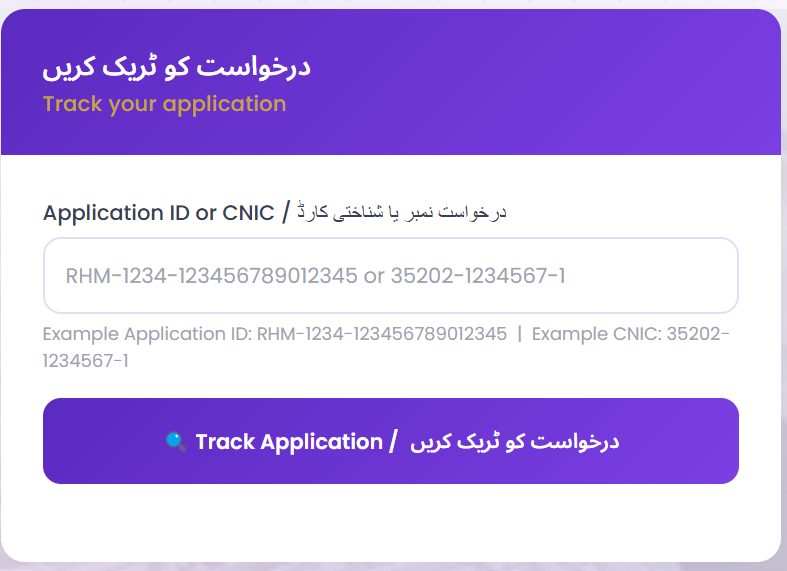
Step 2: Use the Web Portal
- Go to rahmatcard.punjab.gov.pk
- Click “Track Status” on the homepage
- Enter your Tracking ID, or your 13-digit CNIC if the ID is lost
- Click the “Track” or “Check Status” button
- Read the result displayed on screen
Step 3: Use the Mobile App as an Alternative
- Open the official CM Punjab Rahmat Card app
- Log in with your registered credentials
- Navigate to the application tracking section
- View your current status directly inside the app
Step 4: Call the Helpline If You Have No Internet Access
Dial 1077 and provide your CNIC or Tracking ID verbally. This route exists specifically for applicants without smartphone or internet access, and carries no charge beyond standard call rates.
Step 5: Visit a Zakat & Ushr Office for Unresolved Cases
If your status has read “Under Verification” for several weeks with no movement, an in-person visit lets staff pull the actual record and tell you exactly which layer — NADRA or PSER — is holding things up, rather than guessing from a vague on-screen label.
Step 6: Match Your Result to the Right Next Step
- Approved → Wait for the disbursement SMS; don’t visit a bank or ATM speculatively before that notification arrives
- Rejected → Request the specific reason at a Zakat office rather than assuming it’s final; some rejections stem from fixable CNIC or document mismatches
- Incomplete → Log back into the portal and finish the missing field before assuming the application is dead
Benefits, Challenges, and Practical Solutions
What Self-Service Tracking Gets Right
- Removes the need to travel just to ask a status question, which matters most for widows in districts far from a Zakat office
- Gives a specific status label instead of a vague verbal answer that depends on which staff member happens to be available
- Works through three separate channels — web, app, and phone — so a lack of internet doesn’t lock anyone out entirely
Where Applicants Actually Get Stuck
- Lost Tracking IDs are the single most common support request, often because the confirmation SMS was deleted before the number was written down anywhere else
- “Under Verification” with no visible timeline creates real anxiety for households depending on this payment, since there’s no public estimate of average processing time by district
- Copycat tracking websites and apps have appeared, mimicking the official portal’s design and asking for unnecessary personal details or even small “processing fees” to “speed up” a result
What Actually Fixes These Problems
- If your Tracking ID is lost, the CNIC-based lookup is a fully valid substitute — there’s no need to panic or resubmit a duplicate application.
- Treat any prolonged “Under Verification” status past three to four weeks as a reason for an in-person visit, not as evidence of rejection.
- Only trust rahmatcard.punjab.gov.pk and the officially listed app store link for the CM Punjab Rahmat Card app — any site or app requesting a fee to check or expedite status is running a scam, and should be reported through the 1077 helpline.
Future Outlook: Where Status Tracking Is Headed
Expect tighter real-time integration between NADRA and PSER to gradually shrink the “Under Verification” window, following the same trajectory the federal 8171 system has taken with BISP applications over the past few years. An SMS-shortcode tracking option — similar to texting a CNIC to a dedicated number rather than needing the web portal — would be a natural next step given how widely that pattern is already used across Punjab’s other welfare cards. As application volume from later phases adds to the existing queue, expect the program to lean harder on automated status updates rather than manual office-based confirmation, simply to keep pace with demand.
Final Word
A Tracking ID is a small piece of paper or a forgettable text message until the day verification stalls and you actually need it — at which point it becomes the fastest route to an answer that doesn’t involve a wasted trip across the district. Knowing that a CNIC lookup works just as well when that ID gets lost, that “Under Verification” reflects two separate databases working through your file rather than a rejection in disguise, and that the only legitimate tracking tools are the official portal, app, and 1077 helpline, turns a stressful waiting period into something genuinely manageable for the families this card was built to reach.