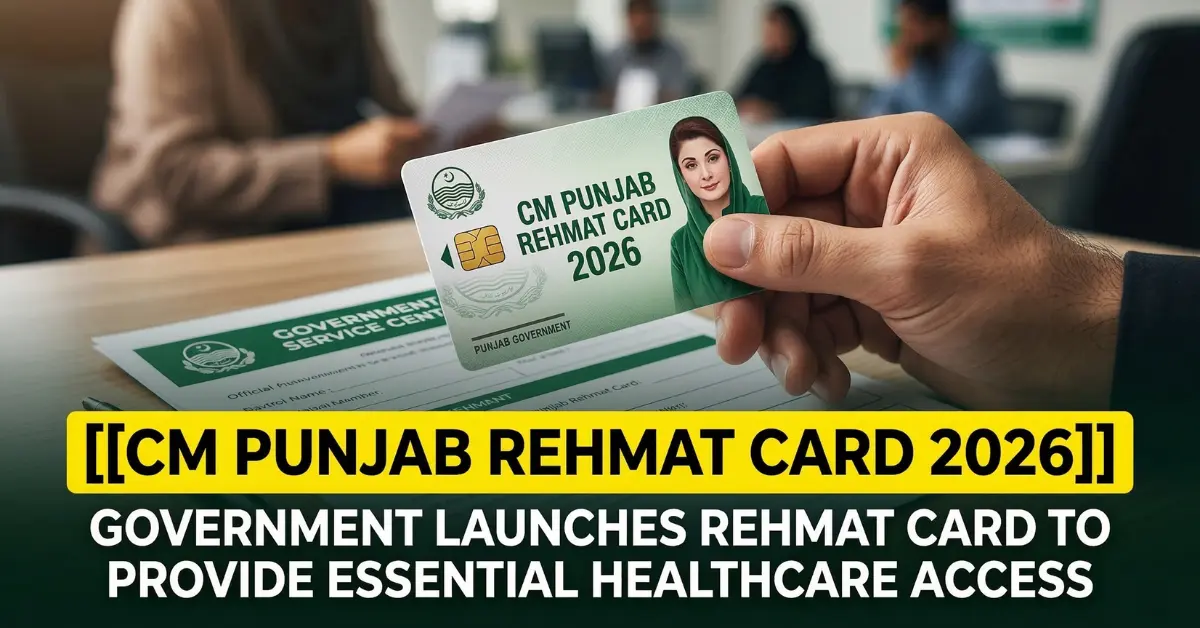
Everything you need to know about the CM Punjab Rehmat Card online application process — eligibility verification, required documents, the portal walkthrough, mobile app method, offline alternatives, status tracking, and how to avoid fraud — in one authoritative, fully updated guide.
Islamabad / Lahore | March 2026 | Updated after official approval
When Chief Minister Maryam Nawaz Sharif formally approved the Rehmat Card Apply Online 2026 on March, 2026, the question that immediately followed from millions of widows and families across Punjab was simple and urgent: How do I apply? For eligible families — those who have lost their primary breadwinner and are struggling to meet daily expenses — the answer to that question directly determines whether they access Rs. 100,000 for a widow, Rs. 25,000 per orphaned child, ongoing monthly support, and free healthcare. This guide answers that question comprehensively, covering every registration method available, every document required, every step in the online application process, and every fraud warning the government has issued.
The Punjab government has designed the Rehmat Card registration system around a core principle: accessibility without compromise on verification integrity. Whether you are a widow in Lahore with a smartphone and reliable internet, a guardian in rural Rahim Yar Khan without digital access, or an elderly applicant who needs assisted registration — there is an official, free channel designed for your situation. Understanding which channel is right for you, and how to navigate it correctly, is the purpose of this guide.
“Registration for the Rehmat Card is entirely free. Anyone demanding payment for registration is committing fraud and should be reported immediately.” — Punjab Social Welfare, March 2026
Rehmat Card 2026 — Quick Reference Factsheet
Before the step-by-step walkthrough, here is a complete at-a-glance reference for all confirmed details of the Rehmat Card Apply Online 2026 as of March 2026:
| Program | CM Punjab Rehmat Card 2026 |
| Approved by | CM Maryam Nawaz Sharif (March 5, 2026) |
| Grant for Widows | Rs. 100,000 (lump-sum capital grant) |
| Grant per Orphan Child | Rs. 25,000 (educational support) |
| Monthly Card Support | Up to Rs. 10,000/month ongoing |
| Phase 1 Beneficiaries | 40,000–50,000 families across Punjab |
| Orphan Children Target | 100,000 Yateem children |
| Registration Opens | After Eid-ul-Fitr 2026 |
| Online Portal Method | Official Punjab Govt welfare portal |
| Mobile App Method | Rehmat Card App (Play Store / App Store) |
| Offline Method | District Zakat & Ushr offices across Punjab |
| Helpline | 1000 (Punjab Social Welfare) |
| Eligibility SMS Check | Send CNIC to 8171 or 8070 |
| Healthcare Benefit | Free treatment — THQ / DHQ hospitals |
| Verification Databases | NADRA + NSER + Zakat & Ushr |
| Application Fee | 100% FREE — no agent fees |
Step Zero: Check Your Eligibility Before You Apply
The most important step in the online application process is the one that comes before you open any portal or download any app: confirming that you are eligible. Applying without confirming eligibility wastes time and can result in automatic rejection. The Punjab government has provided two fast, free methods to check your household’s poverty registration status before you begin your formal Rehmat Card application.
NADRA Digital ID Legal Status in Pakistan 2026
Method A — SMS to 8171 (BISP/NSER)
The National Socio-Economic Registry (NSER) is the poverty database that the Rehmat Card’s verification system is cross-referenced against. If your family is registered in NSER, your eligibility for poverty-targeted welfare programmes is already on record. To check your NSER status, open your phone’s SMS application, type your 13-digit CNIC number without spaces or dashes, and send it to 8171. You will receive an automated reply within minutes confirming whether your household is registered in the poverty database and whether you are flagged as eligible for welfare support. This SMS service works on all mobile phones — including basic feature phones — and is completely free.
Method B — PSER Portal (8070)
For Punjab-specific poverty registration verification, the Punjab Socio-Economic Registry (PSER) portal at pser.punjab.gov.pk provides an online eligibility check. Enter your 13-digit CNIC number on the portal’s eligibility checker. The system queries the Punjab poverty registry and returns your household’s registration status and poverty score. You can also send your CNIC number to 8070 via SMS for the same result through the short message service channel.
If either check shows that your household is not registered in NSER or PSER, visit your nearest BISP Tehsil Registration Centre to complete a Dynamic Survey update. Bring your original CNIC, children’s B-Forms, and a recent utility bill. BISP staff will update your household data in the National Socio-Economic Registry, after which the Rehmat Card verification system will be able to cross-reference your application. The Dynamic Survey is free of charge and typically takes one working day to process.
Required Documents: Prepare These Before You Start
Having all required documents ready before you begin the online application process significantly reduces the risk of errors, delays, and rejection. The verification system cross-references every submitted document against NADRA’s national citizen database, the NSER poverty registry, and Zakat Department records — which means incomplete or inaccurate documentation triggers an automatic hold on your application.
For Widow Applicants: Valid Punjab-issued CNIC (front and back); NADRA-verified death certificate of husband (issued by NADRA or the Union Council); a registered mobile SIM in the applicant’s own name for OTP verification; proof of Punjab residency (a recent electricity or gas bill bearing your CNIC-registered address).
Gold Price in Pakistan Today (2026): Daily Rates & Trends
For Orphaned Children Registration: NADRA B-Form for each orphaned child under 18; parent(s) death certificate(s); guardian’s valid CNIC; school enrolment record or school leaving certificate (where applicable); a recent passport-size photograph of each child.
Income and Asset Documentation: An affidavit of poverty verified by the Union Council Secretary, or a poverty certificate from the local administration. If your household owns no significant assets — no commercial vehicles, no large agricultural land holdings, no business property — this can be confirmed through a self-declaration form available at the Zakat office.
Critically, if your husband’s death has not yet been formally updated in NADRA’s citizen database, you must resolve this before applying. Without a NADRA-verified death record linked to your CNIC, the automated verification system will not recognise your widow status and will reject your application. Death certificates can be obtained or updated through the Pak ID mobile application or at any NADRA Registration Centre. NADRA charges a standard fee of Rs. 200 for death certificate issuance.
Registration Method 1: Official Web Portal (Recommended for Smartphone Users)
The primary channel for Rehmat Card registration is the official Punjab Government welfare portal. This method is recommended for applicants who have access to a smartphone, tablet, or computer with internet connection, as it provides real-time status tracking and instant application acknowledgement.
Step 1: Access the Official Portal — Open your browser and navigate to the official Punjab Government welfare portal. Look for the clearly labelled ‘CM Rehmat Card 2026 Registration’ section on the homepage. Ensure you are on a genuine government domain (.gov.pk) — bookmark the page immediately to avoid falling for lookalike fraud sites.
Step 2: Enter Identity Credentials — Enter your 13-digit CNIC number carefully — a single digit error causes an instant data mismatch and automatic rejection. Enter the mobile number that is registered in your own name and linked to your CNIC. You will immediately receive a One-Time Password (OTP) via SMS to this number.
Step 3: OTP Verification — Enter the 4-to-6 digit OTP within the time limit shown on screen (usually 3 minutes). This step verifies that the mobile number belongs to the CNIC holder and prevents fraudulent third-party registrations. If you do not receive the OTP within two minutes, select ‘Resend OTP.’ Ensure your SIM is active and has sufficient balance for incoming messages.
Step 4: Create Your Application Profile — Once your identity is verified, the portal will prompt you to create your registration profile. Select your application category: ‘Widow Support’ or ‘Orphan Child Welfare.’ Fill in your household details accurately — family size, number of dependent children, current living conditions, income sources, and the intended use of the capital grant.
Step 5: Upload Documents — Upload clear, well-lit photographs or scanned copies of your required documents. Blurry, dark, or cropped images are among the most common reasons for application delays. Document files must be in JPEG or PDF format and should not exceed 2MB each. Required uploads: CNIC (both sides), death certificate, B-Form for each child, and proof of residence.
Step 6: Review and Submit — Carefully review every entry on the summary page before submitting. Check CNIC numbers, names (matching exactly as on documents), and uploaded file quality. Once satisfied, click ‘Submit Application.’ The system will generate a unique tracking reference number. Screenshot or note this number — it is your only way to track your application status.
Step 7: Receive SMS Confirmation — Within 24 to 48 hours of submission, an automated SMS confirmation is sent to your registered mobile number acknowledging receipt of your application. Subsequent SMS notifications are sent at each stage: document verification complete, NADRA check passed, NSER poverty score confirmed, and final approval or rejection notice.
Registration Method 2: Official Mobile Application
For applicants who prefer mobile-first interaction, the official Rehmat Card mobile application — available on both Google Play Store (Android) and Apple App Store (iOS) — provides the same full registration capability as the web portal, optimised for smaller screens.
Download only the application published by the official Punjab Government developer account. Before downloading, verify the app’s developer name, check recent reviews for legitimacy, and confirm the number of downloads is consistent with a government-scale rollout. Do not download registration apps from third-party websites, WhatsApp forwards, or links sent via SMS from unknown numbers — these are almost always fraudulent data-harvesting tools.
The mobile app registration process mirrors the web portal steps: CNIC entry, OTP verification, category selection, profile completion, document upload, and submission. The app adds one convenience feature not available on the web portal — real-time push notifications at every stage of your application processing, so you do not need to actively check your status. The app also supports a document scanner function that uses your phone’s camera to capture, crop, and optimise document images before upload, significantly reducing the most common cause of rejection: poor image quality.
Once registered, the app becomes your permanent dashboard for the Rehmat Card. Approved beneficiaries use the app to check monthly payment loading status, view their card balance, locate the nearest payment collection point, and raise complaints or queries directly through the in-app helpline integration.
Registration Method 3: District Zakat and Ushr Offices (Offline Method)
Recognising that a significant portion of its intended beneficiaries — elderly widows, women in rural districts, and those without digital literacy or internet access — cannot navigate online registration independently, the Punjab government has designated every district and tehsil-level office of the Punjab Zakat and Ushr Department as a physical Rehmat Card registration hub.
Applicants visiting a Zakat office for in-person registration should bring all original documents: CNIC, death certificate, children’s B-Forms, and proof of residence. Do not bring photocopies as the primary submission — originals are scanned on-site by Zakat staff using government-issued equipment. The staff member at the office will guide you through the manual registration form, enter your data directly into the provincial welfare management system, and perform on-the-spot biometric verification using their fingerprint scanner.
After submission, the office issues a physical receipt bearing your application reference number and the date of submission. Retain this receipt — it is your proof of registration and the document you will need if your application is delayed or requires follow-up. SMS status updates are subsequently sent to the mobile number provided during in-person registration, keeping you informed without requiring return visits.
For widows who are physically unable to travel to a Zakat office due to age, disability, or illness, the Punjab Social Welfare Department has indicated that mobile registration teams may be deployed to underserved union councils in later phases of the programme. Citizens with mobility constraints are advised to call the helpline at 1000 to inquire about mobile registration availability in their area.
Registration Method 4: Helpline 1000
For citizens who have questions about eligibility, are confused about the application process, or need assistance completing their registration, the Punjab Social Welfare dedicated helpline at 1000 provides direct, human-agent support. The helpline is available during official government working hours (Monday to Saturday, 8:00 AM to 8:00 PM) and provides guidance in Urdu and regional languages.
Helpline agents can walk callers through every step of the online registration process, confirm whether a specific document is acceptable for submission, advise on how to update NADRA records before applying, clarify payment timelines, and record complaints about non-responsive portals or fraudulent agents. The helpline cannot bypass verification requirements or accelerate approvals — it is a guidance and complaint service, not a backdoor to registration. Any agent claiming to secure guaranteed approval via the helpline is lying and should be reported.
What Happens After You Submit: The Verification Process
Once an application is submitted through any of the four official channels, it enters a multi-stage automated verification pipeline that typically takes 15 to 30 working days to complete. Understanding this pipeline helps applicants set realistic expectations and avoid unnecessary follow-up visits or repeat applications.
Stage 1 — NADRA Identity Verification: Your 13-digit CNIC is verified against NADRA’s national citizen database. The system confirms that your identity card is valid and not expired, that your marital status is recorded as ‘Widow,’ and that your husband’s death certificate is accurately reflected in the national registry. Any discrepancy at this stage triggers a hold and an SMS requesting document correction.
Stage 2 — NSER Poverty Score Check: Your household’s Proxy Means Test (PMT) score is retrieved from the National Socio-Economic Registry. Only households below the government’s poverty threshold score qualify. If your household is not in NSER, your application is flagged for a Dynamic Survey before it can proceed.
Stage 3 — Zakat Department Cross-Reference: Your CNIC is cross-referenced against the Punjab Zakat and Ushr Department’s existing beneficiary database to prevent duplication with ongoing Zakat stipend payments. Households already receiving the maximum Zakat allocation are excluded from the capital grant component.
Stage 4 — BISP Duplication Check: The system queries BISP’s beneficiary database to ensure that the applicant’s household is not already receiving the maximum benefits under the federal BISP programme. Partial BISP support does not automatically disqualify an applicant — this check is for duplication prevention, not exclusion of all BISP beneficiaries.
Stage 5 — Final Approval and Card Issuance: Households that pass all four verification stages receive a final approval SMS. The Rehmat Card is then issued either through home delivery to the CNIC-registered address or through a designated collection centre. The card is activated upon biometric thumbprint verification at the time of first use.
How to Check Your Rehmat Card Application Status
After submitting your application, you can monitor its progress through three official channels at any time:
Online Portal: Log in to the official Punjab Government welfare portal using your CNIC and the tracking reference number issued at the time of submission. Your application’s current stage in the verification pipeline is displayed in real time.
SMS Notifications: Automated SMS updates are sent to your registered mobile number at each stage completion. No action is required from you — these arrive automatically. If you have not received an SMS within 48 hours of your submission acknowledgement, call the helpline at 1000.
District Social Welfare Office: Applicants who prefer in-person confirmation can visit their nearest district Social Welfare Office with their CNIC and application receipt. Staff can manually look up your application status in the provincial welfare management system.
Common Application Mistakes and How to Avoid Them
Government welfare portals process millions of applications through automated systems. Small errors that a human agent might overlook cause instant machine-level rejection. The following mistakes account for the majority of Rehmat Card application delays and rejections:
CNIC number errors: A single incorrect digit in your 13-digit CNIC causes an instant data mismatch with NADRA’s database. Double-check every digit against your physical card before submitting.
Unregistered or mismatched mobile number: Your SIM card must be registered in your own name and linked to your CNIC. If your SIM is registered to a family member’s CNIC, the OTP verification step will fail. Get your SIM re-registered at any mobile network franchise before applying.
Husband’s death not updated in NADRA: This is the single most common cause of widow application rejection. If your husband’s death has not been formally recorded in NADRA’s database, your CNIC will not show ‘Widow’ status and your application will be automatically declined. Update your record at NADRA before applying.
Blurry or incomplete document images: Portal scanning of uploaded documents is conducted by automated optical character recognition software. Images that are out of focus, poorly lit, have glare, or are partially cropped fail quality checks. Use natural daylight and a flat surface when photographing documents.
Applying through unofficial channels: Fraudulent websites and apps that mimic the official registration portal are designed to harvest CNIC and biometric data. Always verify you are on a .gov.pk domain and that the app developer is the official Punjab Government account before entering any personal information.
Fraud Warning: Protect Yourself
The Punjab government has issued explicit public warnings about a rapidly growing ecosystem of fraudulent Rehmat Card schemes operating through fake websites, WhatsApp groups, Facebook pages, and paid agents. These operations specifically target widows and low-income families — the programme’s intended beneficiaries — and exploit their unfamiliarity with digital registration by offering ‘guaranteed approval’ in exchange for fees ranging from Rs. 500 to Rs. 5,000.
The official rules are absolute: Rehmat Card registration is 100 percent free through all official channels. No government employee, Zakat officer, or helpline agent is authorised to charge any fee at any stage of the application, verification, or card issuance process. BISP’s own anti-fraud guidelines — which the Rehmat Card system adopts — are equally unambiguous: the government never charges a fee for releasing payments, and beneficiaries are entitled to the full disbursement amount with zero deductions.
Red flags that indicate a fraudulent operation: demand for any payment, promise of guaranteed or expedited approval, request for your OTP (never share your OTP with anyone under any circumstances), registration links sent via WhatsApp or personal SMS from unknown numbers, and websites that do not end in .gov.pk. Report suspected fraud to the official Punjab Social Welfare helpline at 1000 or the BISP anti-fraud helpline at 0800-26477.
Never share your CNIC number, OTP, or biometric data with anyone claiming to offer faster Rehmat Card registration. Legitimate government systems never ask for this information through unofficial channels.
Payment Collection: How Funds Are Disbursed
Once a Rehmat Card application is approved and the card is activated through biometric thumbprint verification, funds are disbursed directly to the card’s linked digital wallet — eliminating middlemen and ensuring that the full amount reaches the beneficiary. The initial capital grant (Rs. 100,000 for widows, Rs. 25,000 per child) is loaded as a lump sum upon card activation. Monthly support payments of up to Rs. 10,000 are subsequently loaded on a calendar-month basis.
Card funds can be accessed through designated partner bank branches across Punjab, biometric ATMs of partner banks, and authorised HBL Konnect or Alfalah agent retail points in areas where branch banking is unavailable. In all cases, biometric thumbprint verification is required at the point of withdrawal — no physical card presentation or PIN is needed, which prevents card theft or impersonation fraud. Beneficiaries should always demand a printed transaction receipt from the machine or agent after every withdrawal, and should immediately call the helpline if any deduction from their entitled amount is made.
Conclusion: Apply Early, Apply Correctly, Apply Through Official Channels Only
The CM Punjab Rehmat Card 2026 is one of the most financially meaningful welfare initiatives ever launched by the Punjab government for widows and orphaned children. With Rs. 100,000 available as capital for widows, Rs. 25,000 per orphan child for education, monthly card support, and integrated healthcare coverage, the programme represents genuine economic opportunity — not just subsistence relief.
But that opportunity is only accessible if the application is submitted correctly. The automated verification system that cross-references NADRA, NSER, BISP, and Zakat databases is powerful and efficient — and it is equally efficient at rejecting incomplete, inaccurate, or unverified applications. The families who benefit most will be those who prepare their documents carefully, confirm their NSER registration in advance, apply through official channels only, and follow the step-by-step process outlined in this guide.
Registration opens after Eid-ul-Fitr 2026. The time between now and that opening should be spent productively: ensure your CNIC is valid, update your husband’s death record in NADRA’s database if it has not been done, complete your NSER registration through the 8171 system, gather your documents, and decide which registration channel is most accessible for your situation. When the portal goes live, you will be ready to apply immediately — and that early application places you at the front of the queue for the programme’s first phase of 40,000 to 50,000 households.
For any queries, updates, or assistance, the official Punjab Social Welfare helpline at 1000 remains your authoritative point of contact. Everything else is noise.
Frequently Asked Questions
Q: What is the official website to apply for the Rehmat Card? A: The official Punjab Government welfare portal. Always verify the URL ends in .gov.pk. The registration section is labelled ‘CM Rehmat Card 2026 Registration’ on the homepage.
Q: Can I apply right now? A: The registration portal is expected to go live after Eid-ul-Fitr 2026. Use the waiting period to confirm NSER registration, update NADRA records, and prepare documents.
Q: What if I don’t have internet access? A: Visit your nearest District Zakat and Ushr Office with original documents. Staff will register you manually in the system at no charge.
Q: How do I know if I am eligible? A: Send your 13-digit CNIC to 8171 via SMS. If your household is registered in NSER under the poverty threshold, you will receive a confirmation. Also check pser.punjab.gov.pk or send your CNIC to 8070.
Q: My husband died recently but NADRA records don’t reflect it. What do I do? A: Update your husband’s death record through the Pak ID mobile application or any NADRA Registration Centre before applying. This is a mandatory prerequisite for widow eligibility.
Q: Can a widow with three orphaned children receive both grants? A: Yes. The widow receives Rs. 100,000 and each orphaned child receives Rs. 25,000. A widow with three children would receive a total of Rs. 175,000 in initial grants, plus up to Rs. 10,000/month ongoing support.
Q: Is there a last date for registration? A: No official last date has been announced. However, the first phase covers 40,000–50,000 households. Early application increases the probability of inclusion in Phase
Q: What if my application is rejected? A: You will receive an SMS explaining the reason. Most rejections can be resolved by updating NADRA records or completing the NSER Dynamic Survey. You can re-apply after correcting the issue. Contact helpline 1000 for guidance.